- Home /
- nuHRM /
- Scheduling
Excel-Style Shift Scheduling
No Learning Required—Faster and More Powerful Than Excel for Shift Scheduling!
-
Excel-Like Interface with a Low Learning Curve
Familiar Excel-style layout for easy adoption, with click-to-schedule, batch copy-paste, and quick fill to streamline shift scheduling.
-
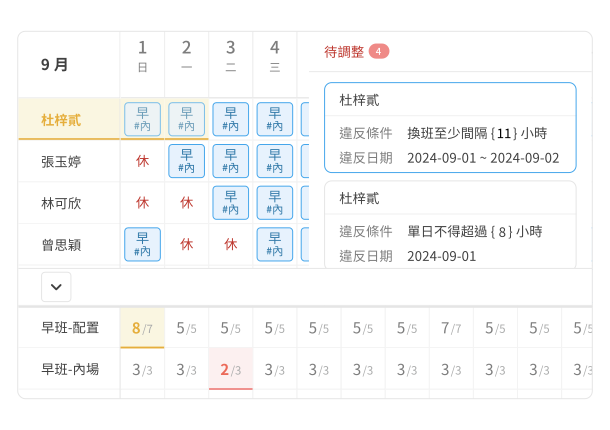
Verify Shifts in Real Time for Accurate Workforce Planning
Check manpower allocation and compliance instantly while scheduling—no extra time needed for manual verification.
-
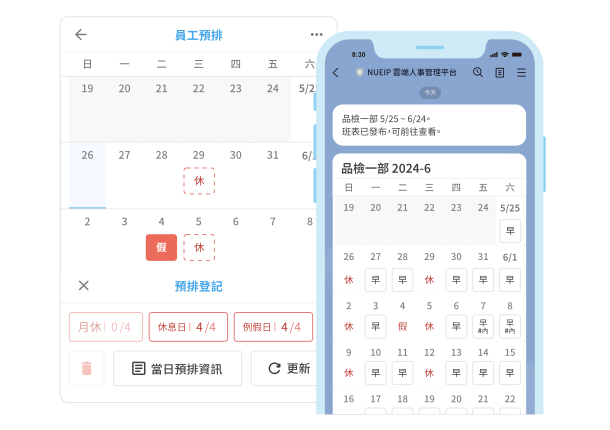
Shift Schedules Automatically Sent to Employees’ LINE for Easy Viewing
After release, the system sends a simplified shift image to LINE for easy viewing. Mobile-friendly design allows employees to pre-schedule via their phones.
-
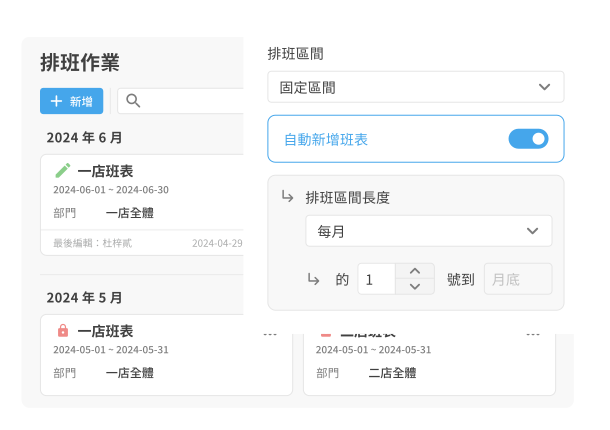
Set Once, Auto-Apply to Next Month’s Schedule
Set company-specific shift rules, and the system will automatically generate future schedules with support for manual adjustments, streamlining shift management.
-
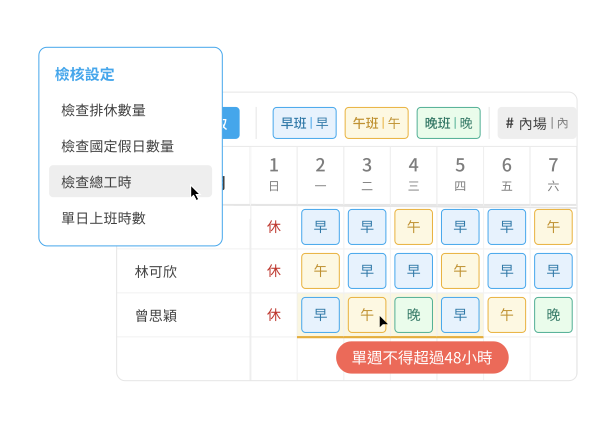
Support Shift Scheduling with Deformation Hours and Automatic Compliance Checks
Pre-built templates for 2-week, 4-week, and 8-week deformation hours let you quickly apply or customize rules, with automatic verification of labor law compliance.
-
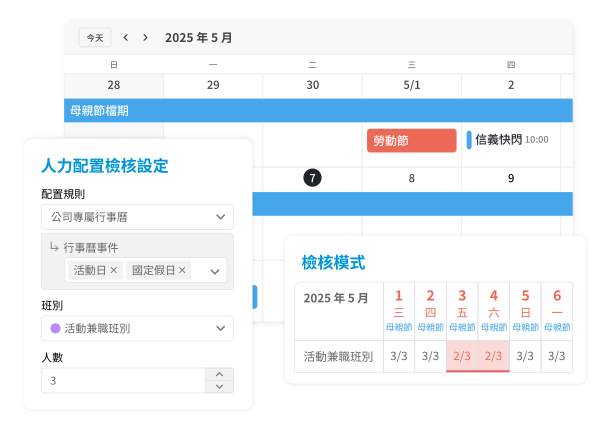
Holiday-Aware Scheduling with Automated Staffing Alerts
Create company-specific calendar events for non-standard holidays or peak periods and apply them to scheduling rules. Staffing is automatically checked during time-off planning and scheduling to ensure adequate coverage on critical operating days.
-
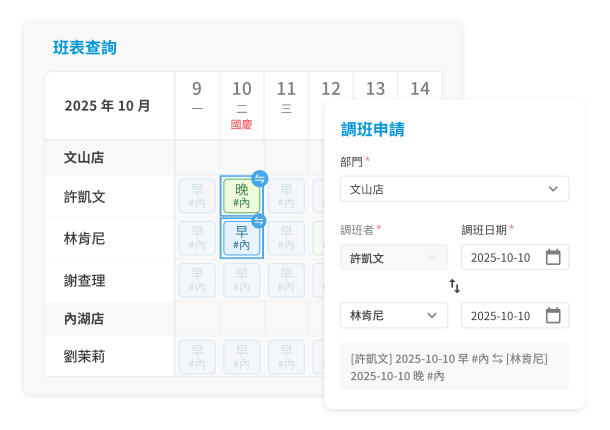
Online Shift Change Requests with Automatic Schedule Updates
Employees submit shift change requests within the system. Once approved, schedules update automatically, with all changes logged to improve transparency and reduce communication gaps.